Skip to content

The Free Wishlist Maker for Any Store

Add gifts from any store. Share one link.

5M+ gifts added1,000s of brands100% Free
Download on the App StoreGet it on Google Play

As seen in

The New York Times
Google for Startups
Fast Company
BBC
NBC
Fox
Your favorite brands

One list. Any store.

Add gifts from any site. Paste a product link to fill in details when available, or add an item yourself.

Amazon
Target
Walmart
Apple
Nike
Lululemon
Zara
H&M
Adidas
Nordstrom
Amazon
Target
Walmart
Apple
Nike
Lululemon
Zara
H&M
Adidas
Nordstrom

Gifts from 1,000s of brands added to GiftList

Why GiftList

Why use GiftList as your wishlist maker?

Gifts from different websites

Paste a supported product link, or add the gift manually when automatic details are unavailable.

Always ready to share

Keep a running list for birthdays, holidays, or when someone asks what you want.

Choose who finds it

Show the list on your profile to everyone, to friends, or not at all. Add a password to limit who can open the link.

Available across devices

Access your wishlist from the mobile apps, browser extension, or web.

Get Started

How it works

Create your free gift list in minutes. It's easy to set up, share, and manage.

Step 01

Create your wishlist

Free to create, fill, and share

Works for birthdays, weddings, baby showers, and more

Keep a separate list for each occasion

Anna Adams

Nov 9, 2026 · Anna Adams

My Wishlist

Most wanted
Beats Solo 4 "Cloud Pink"

Beats Solo 4 "Cloud Pink"

$199.99

Most wanted
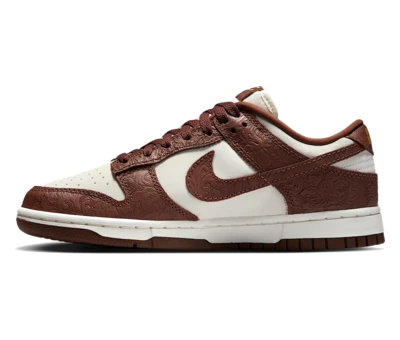
Nike Dunk Low "Cacao Wow"

Nike Dunk Low "Cacao Wow"

$84.00

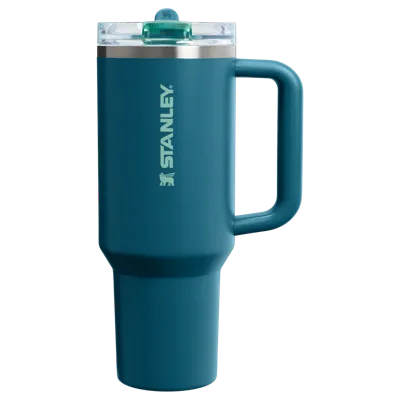
Stanley Quencher H2.0 40oz

Stanley Quencher H2.0 40oz

$35.00

Sol de Janeiro Bum Bum Cream

Sol de Janeiro Bum Bum Cream

$48.00

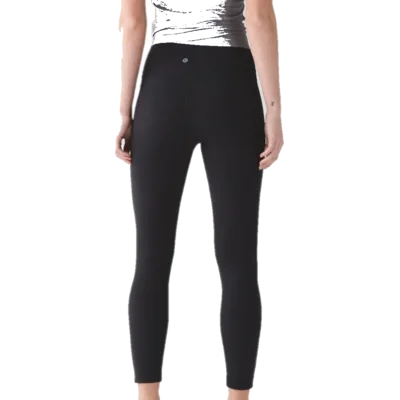
lululemon Align Pant
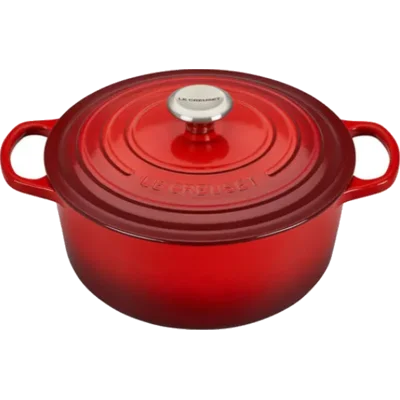
Le Creuset Dutch Oven
Step 02

Add gifts from anywhere

Paste a product link or add an item yourself

Browse and add from our iOS & Android apps

Need ideas? Ask Genie for personalized gift suggestions

Step 03

Share & start gifting

Friends and family can reserve gifts — no account needed

Avoid duplicate gifts while keeping reservations a surprise

Share via link, text, email, or social media

Meet Genie

Need gift ideas? Just ask.

Genie is your AI gift assistant. Tell it who you're shopping for and it finds personalized ideas from thousands of stores.

Beats Solo 4

Beats Solo 4

Nike Dunk Low

Nike Dunk Low

Stanley Quencher

Stanley Quencher

Sol de Janeiro

Sol de Janeiro

lululemon Align

lululemon Align

Le Creuset

Le Creuset

Testimonials

Why people keep a year-round GiftList

FAQ

Frequently Asked Questions

What is a wishlist?

A wishlist (also written wish list) is a list of things you would like to receive, shared with the people who buy you gifts. It answers “what do you want?” before anyone asks, down to the exact item, size or color. A GiftList wishlist keeps gifts from any store on one list with one link to share, and gift-givers can reserve from it in a web browser without an account.

People keep wishlists for birthdays, Christmas and other holidays, weddings and new babies, or as a running list of things they would love someday. With a wishlist maker, one list can hold an Amazon gadget, an Etsy print and a boutique sweater, plus an experience or a cash fund.

How do I make a wishlist?

To make a wishlist, create a free list, add the gifts you want, mark your top picks and share the link. On GiftList that takes four steps, and you can add gifts from multiple sites to the same list, so one wishlist holds everything you would like from every store you shop.

1. Create a free GiftList account and start a list. Name it for an occasion, or keep it as an everyday wishlist.

2. Add gifts. Paste a product link, save while you shop with the browser extension or the in-app browser on iOS and Android, or add an item manually. GiftList fills in the name, image and price when available.

3. Mark your top picks as Most Wanted, and add size or color in the gift details so people choose the right item.

4. Share one link by text, email or social media. Friends and family can open it and reserve a gift in a web browser without creating an account.

To create a wishlist from multiple sites, copy a product link from each store and paste it into GiftList. If the details do not fill in, add the item manually.

Wishlist or wish list: which is correct?

Dictionaries such as Oxford and Cambridge list it as two words, “wish list.” The one-word “wishlist” is widely used in apps and online, and both mean the same thing. GiftList writes “wishlist.” People searching for either spelling are looking for the same kind of list.

What makes a good wishlist maker?

A good wishlist maker takes gifts from any store, shares as one link, and lets gift-givers reserve items without creating an account. It keeps reservations hidden from you so the surprise holds, lets you choose who can find your list, and works on the devices you use, whether that is a phone, a laptop or a browser extension.

GiftList is a free wishlist maker built around those needs. Paste a link from any store or add an item manually; the name, image and price fill in when available. Gift-givers can reserve from a shared list in a web browser without an account, while reservations stay hidden from you until you choose to reveal them in the Gift Tracker. A list’s visibility setting controls whether it appears on your profile; anyone with the link can open it unless you add a password.

Organize with tags, flag top picks as Most Wanted and reorder gifts. Set up group gifting or a cash fund through a supported external payment method; GiftList records contributions but does not process or hold the payment, and provider fees may apply. GiftList works on the web, iOS, Android and the browser extension.

Yes. GiftList is free. Making a wishlist, adding gifts from any store, sharing your link and letting people reserve gifts cost nothing. You need a free account to create a list; on the web, the people you share it with don't. Group gifts and cash funds carry no GiftList fee; payment-provider fees may apply.

No, not on the web. Anyone with your link can open the list in a browser, entering the list password if you've set one. To reserve a gift so others see it's taken, they enter their name and email. They buy it from the store as usual. In the GiftList app, people are asked to sign in or sign up.

Yes. Paste a link from any store, including Amazon and Etsy, or search for a product by name. GiftList fills in the name, image and price when available; edit them or add a gift by hand. You can also import a public or shared Amazon or Etsy list; it copies items once and can miss some or fail.

Yes, with a list password. The “Show on my profile” setting, even at “Don't show it” or Private, only controls who finds the list inside GiftList, such as on your profile. Anyone with the link can still open it. To limit who can open it, turn on password protection and share the password only with people you choose.

Yes. Make the list in your own account and name it for them, such as “Maya's birthday list.” GiftList doesn't have separate managed accounts for children. To let a partner or relative help, invite them by email or GiftList username to edit it with you. Collaborators need a free GiftList account (for an email invite, one under that address).

See all

Still have questions? Contact us

Start your free wishlist

Make a wishlist with gifts from any store, then share it with one link.